Features
Built for how clubs actually run
Everything on this page is in Rocket Pocket today. Screenshots show the real app with a sample club’s data.
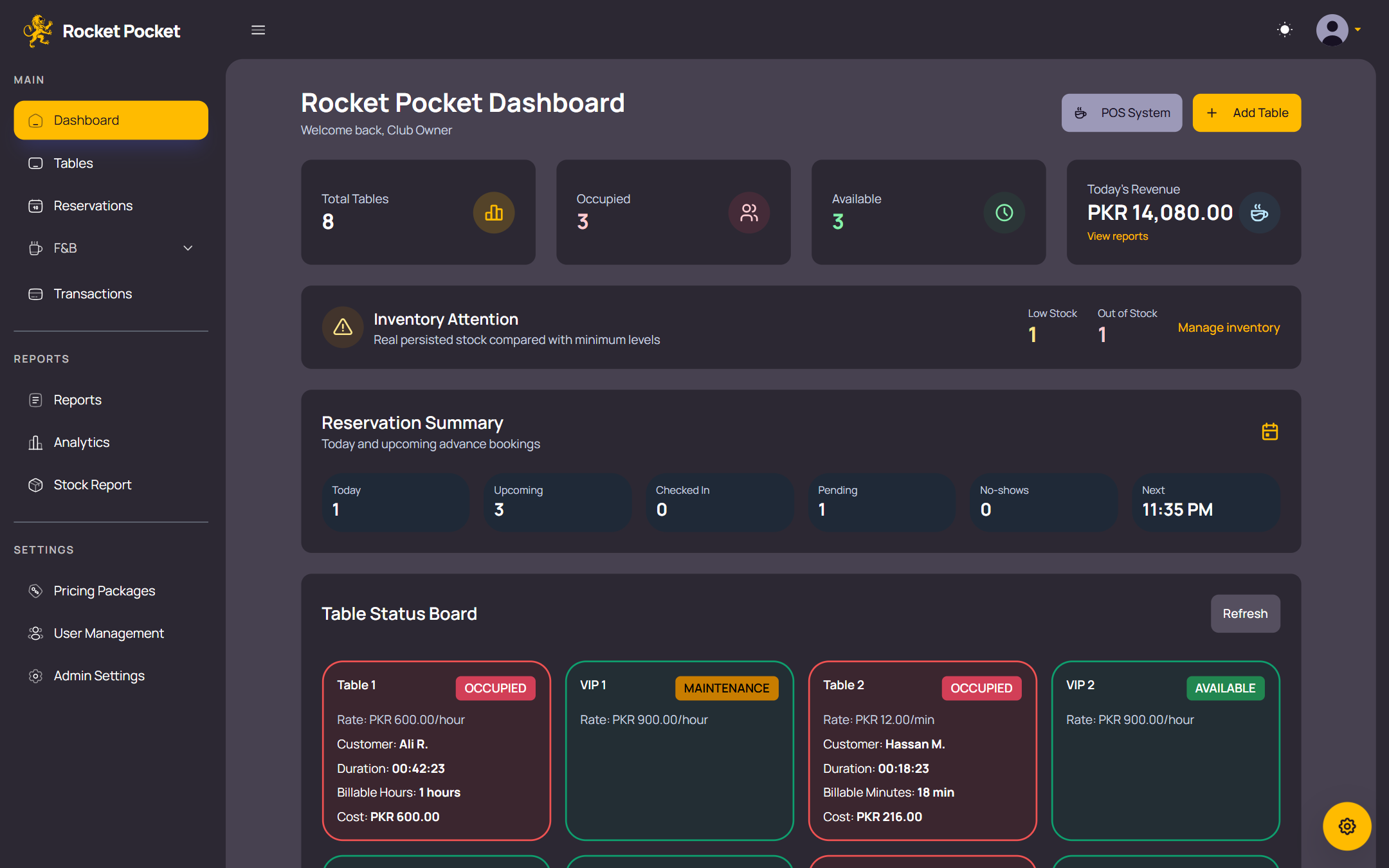
Tables and sessions
Start, move and close sessions in a few taps, with timers you can trust.
-
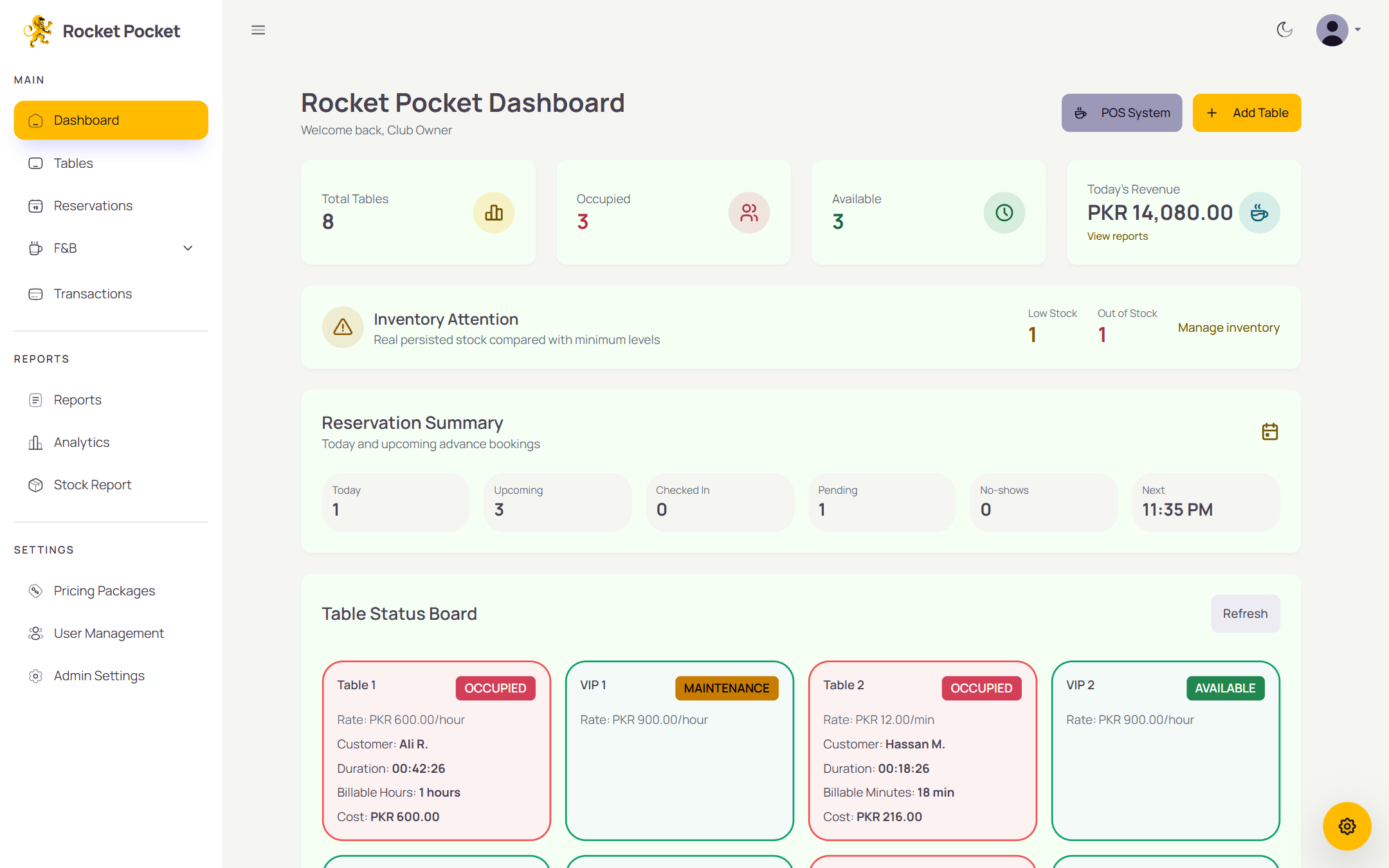
Every table at a glance
See which tables are available, occupied, reserved or under maintenance, colour-coded, with each session’s timer running. The dashboard board refreshes itself every 30 seconds.
-
Hourly, per minute or per game
Charge the way your club does. Each session runs on a pricing package: hourly, per minute or per game.
-
Rounding you can explain
Hourly time rounds up to the next hour. Per-minute time rounds up after 30 seconds. Per-game bills are games played × the rate locked when the session started.
-
Open or planned sessions
Let a table count up, or set a planned time that counts down and alerts staff when it’s up.
-
Game counter
Per-game tables get a simple plus and minus counter for completed games.
-
Move a session
Shift a running session to another table. Its unpaid food and drink orders move with it.
-
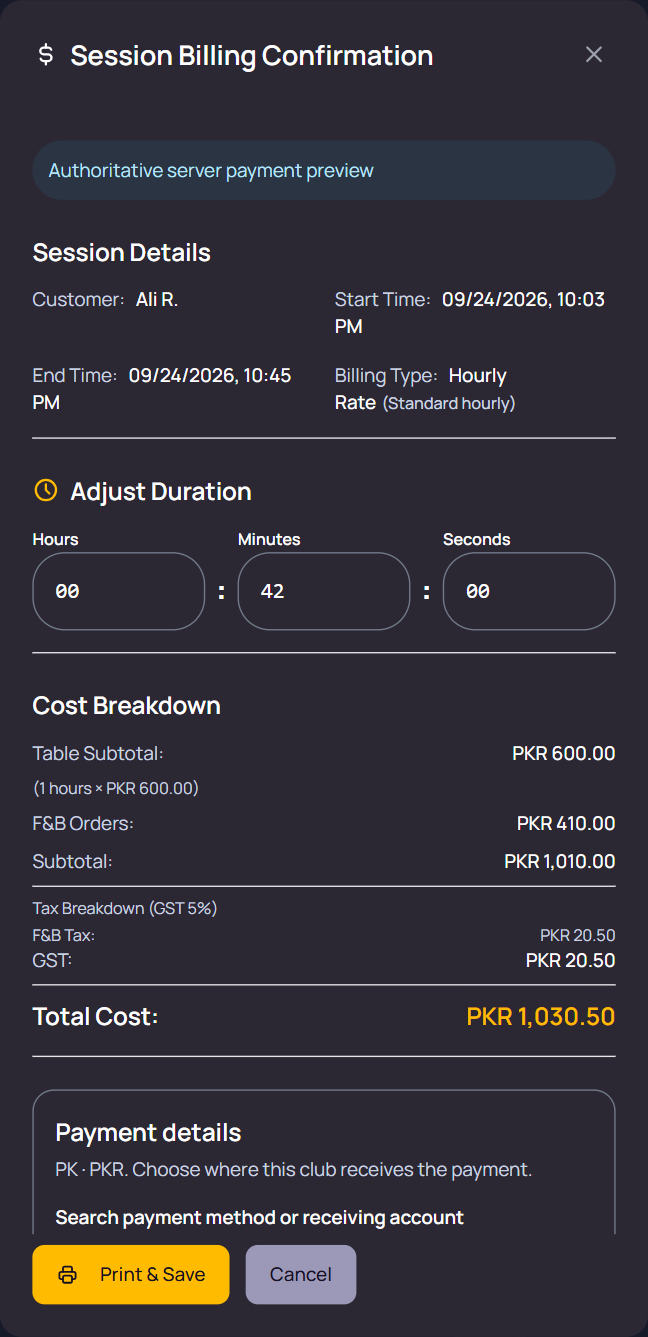
Fix the time at checkout
Adjust a session’s duration at checkout and the bill recalculates.
-
Walk-ins welcome
Start a session with a customer’s name, or with none at all.
-
Pricing packages
Set up rate plans for each billing mode, choose a default, and archive old ones instead of deleting them.
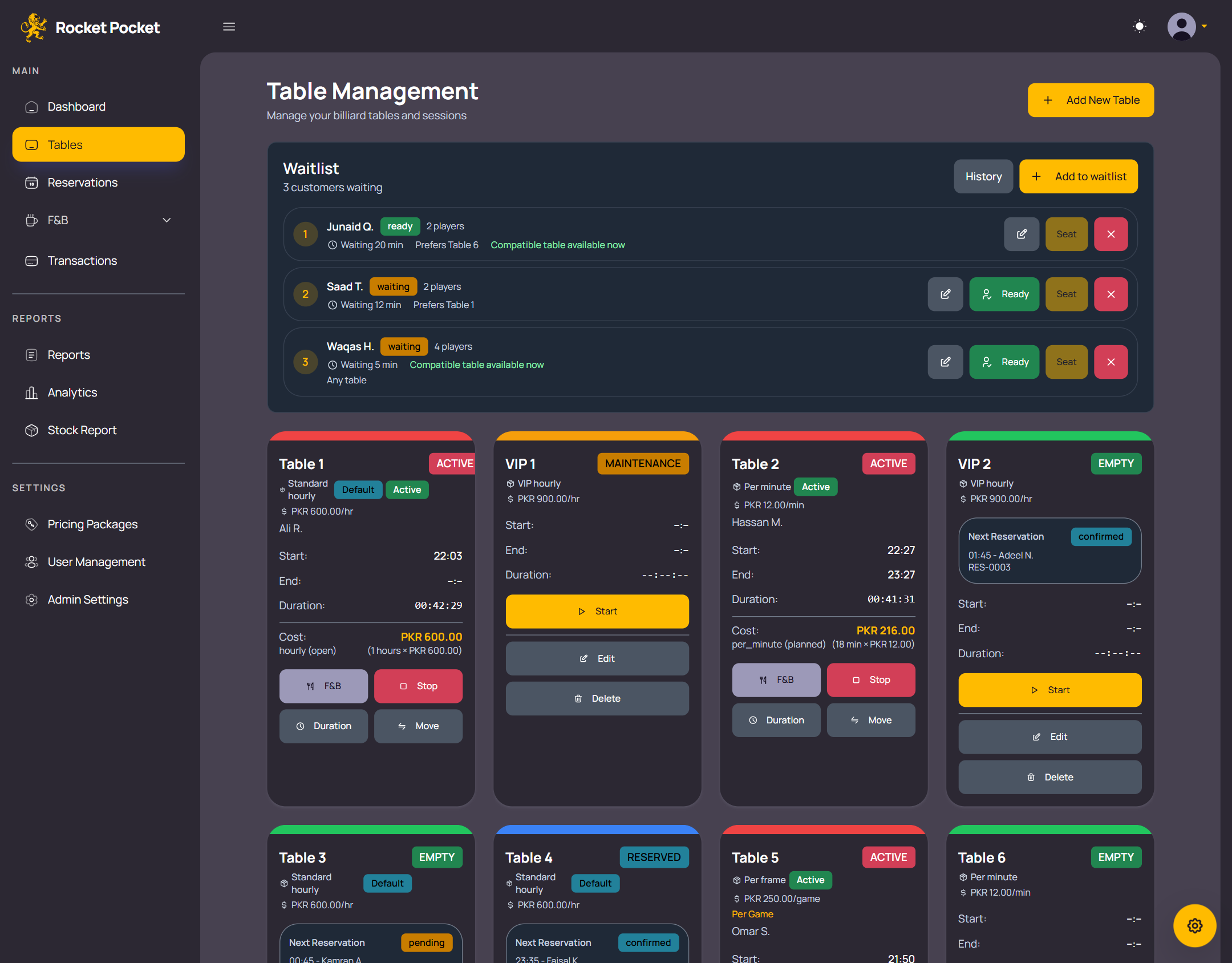
Reservations and waitlist
Keep bookings and walk-ins in order, even on your busiest night.
-
Reservations with a conflict check
Take bookings without double-booking a table. Confirm, cancel or mark no-shows, and check guests in up to 30 minutes early. Check-in starts the session.
-
Upcoming-booking warnings
Table cards warn staff when a booking is coming up.
-
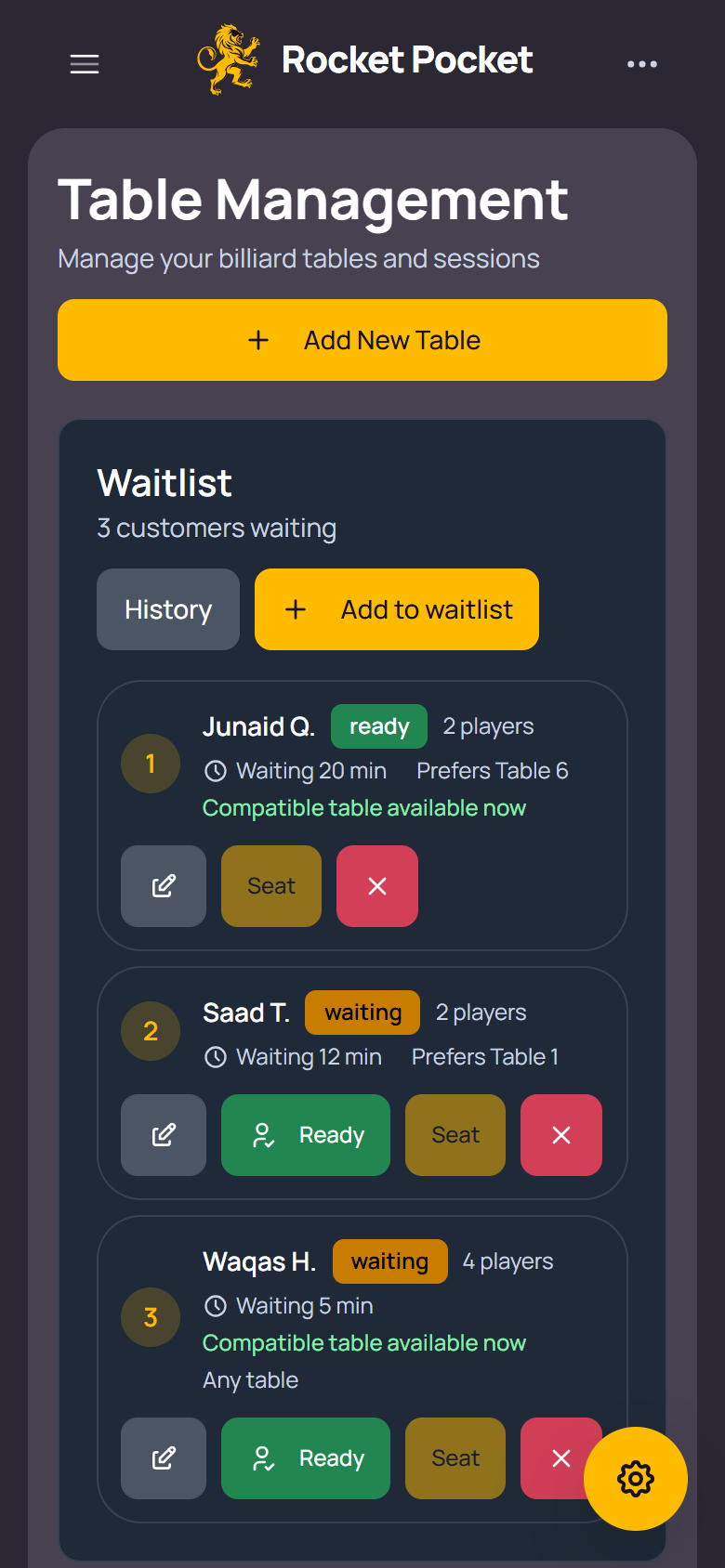
Waitlist
Queue walk-ins with their party size, wait time and preferred table. Seat them in one tap and the session starts.
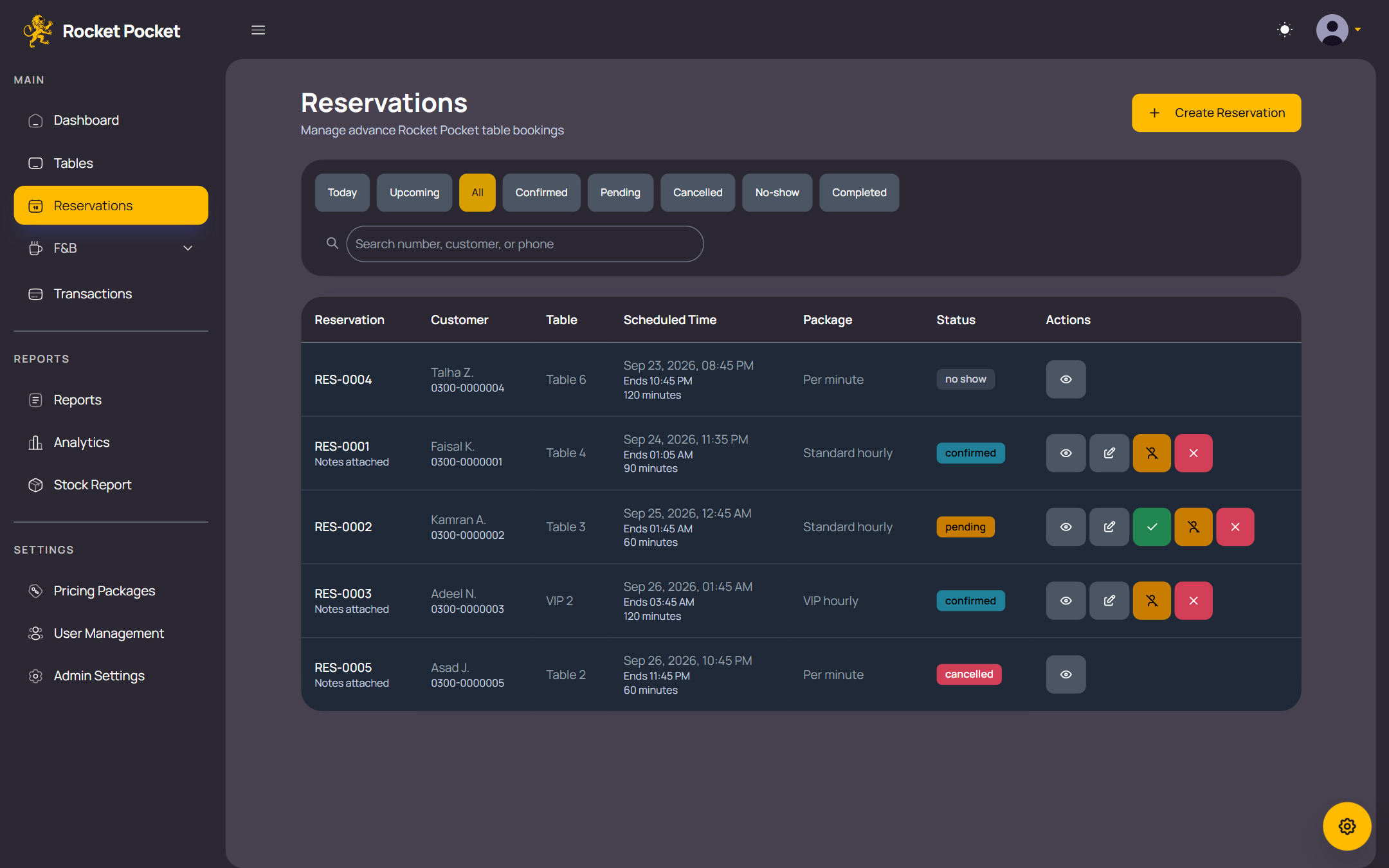
Food, drinks and stock
Sell from the counter or straight onto a table’s bill, and know what’s running low.
-
Menu
Organise categories and items with price, cost and unit.
-
Counter and table orders
Sell at the counter, save a draft for a waiting customer, or add an order to a table’s bill or a pending bill.
-
Stock alerts
Low- and out-of-stock alerts on the dashboard and when ordering. Out-of-stock items can’t be sold.
-
Stock movements
Restock, record wastage, adjust and run stocktakes, with a full history. Sales deduct stock automatically, and the history exports to CSV.
-
Served by
Every order records which staff member served it.
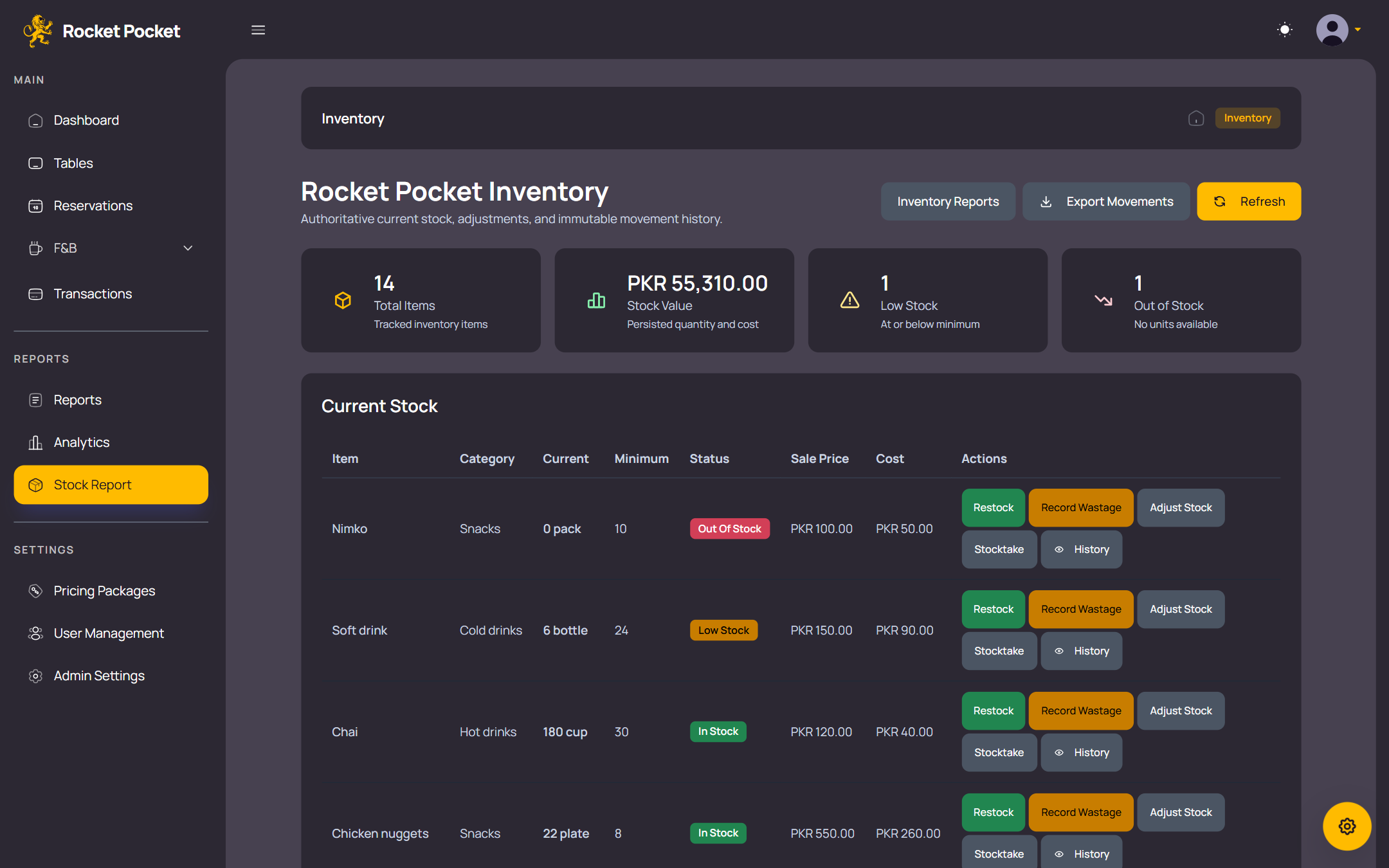
Billing, payments and receipts
One accurate bill per table, and a clear record of how it was paid.
-
One bill
Table time, food and drinks, and tax on one bill, calculated on the server.
-
Record every payment
Record cash, wallet (easypaisa, JazzCash, SadaPay), bank transfer, card and other payments against your club’s own accounts. Staff confirm each payment by hand. Rocket Pocket keeps the record; it doesn’t process payments.
-
Pending until confirmed
A payment stays pending until someone confirms it, and pending payments don’t count as revenue. Cancelling one needs a reason.
-
No double entries
A double tap can’t record the same payment twice.
-
Tax your way
Turn tax on or off and apply it to table time, food and drinks, or both.
-
PKR by default
Prices, bills and reports are in Pakistani rupees out of the box.
-
80 mm receipts
Print receipts with your club’s name, address, phone and a footer note, and turn on automatic printing at table checkout.
-
Find any transaction
Search, filter and export transactions to CSV.
Reports and analytics
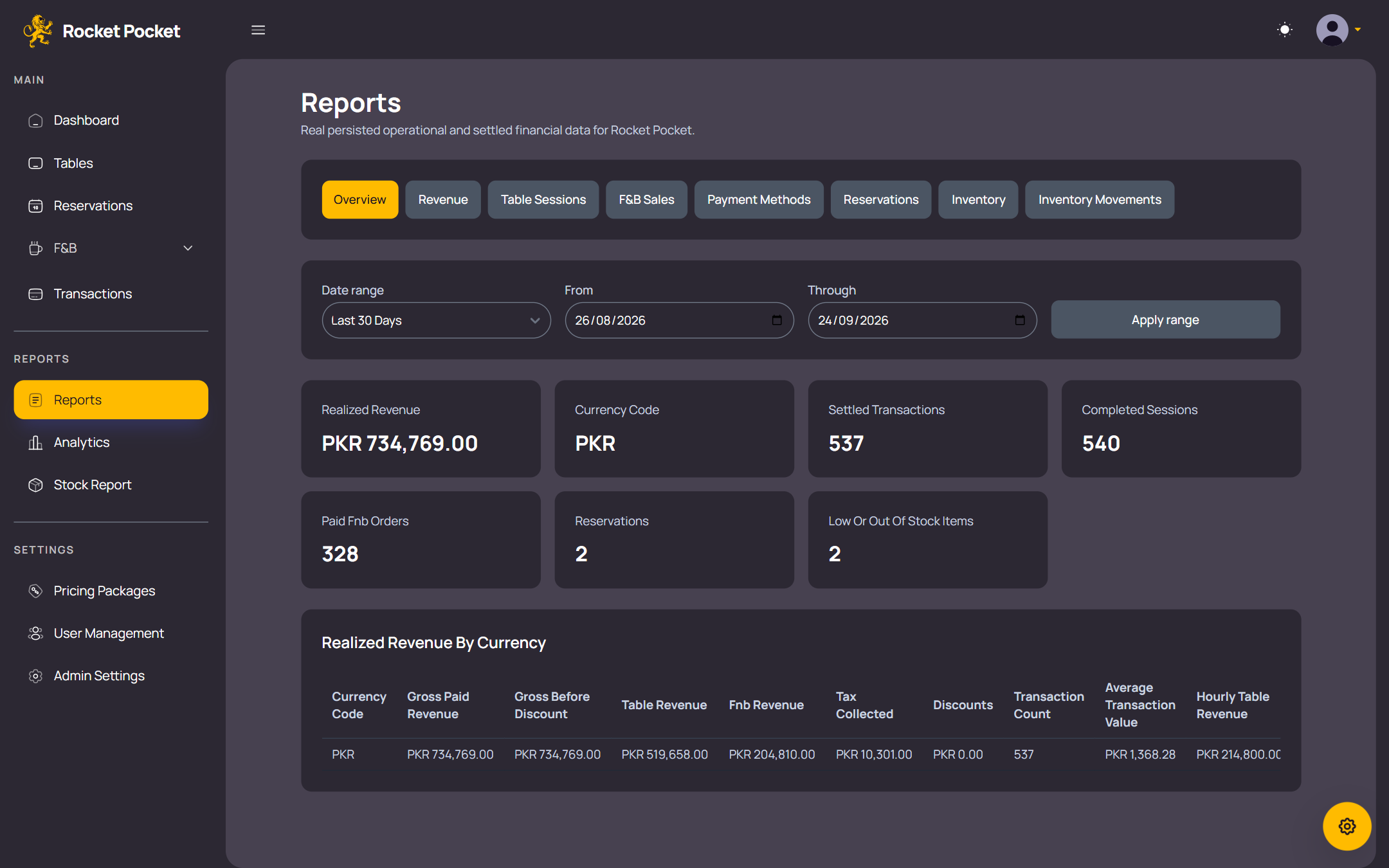
Know where the money comes from and when the club is busiest.
-
Today at a glance
Tables in use and free, today’s revenue, stock that needs attention and a reservation summary on one dashboard.
-
Where the money comes from
Revenue split between tables and food and drinks, with trends, plus revenue by billing mode and tax collected.
-
Peak hours
See which hours of the day are busiest.
-
Food and drink insights
Top sellers, category performance, and how saved drafts convert and how long they wait.
-
Staff performance
Orders and revenue for each staff member.
-
Reports and CSV
Reports with preset date ranges, each exportable to CSV.
Staff, access and look
The right access for each person, on whatever screen they use.
-
Admin, Manager and Staff logins
Only admins can change pricing packages, settings, receipts, currency and payment records.
-
Your colours, day or night
Dark and light mode, eight colour themes, and density and text-size options, saved on each device.
-
Any screen
Works on phones, tablets and desktops in a modern browser.
The service around it
-
Your own private deployment
Each club gets its own deployment of Rocket Pocket. Your records aren’t shared with other clubs.
-
Set up for you
We set up your deployment and admin login. You add your tables, pricing packages and menu.
-
Monthly, in PKR
One monthly subscription per club, paid by bank transfer. See pricing.
-
English interface
Rocket Pocket’s screens, receipts and reports are in English.
See Rocket Pocket with your own tables in mind
Tell us about your club and we’ll get in touch to arrange a demo.